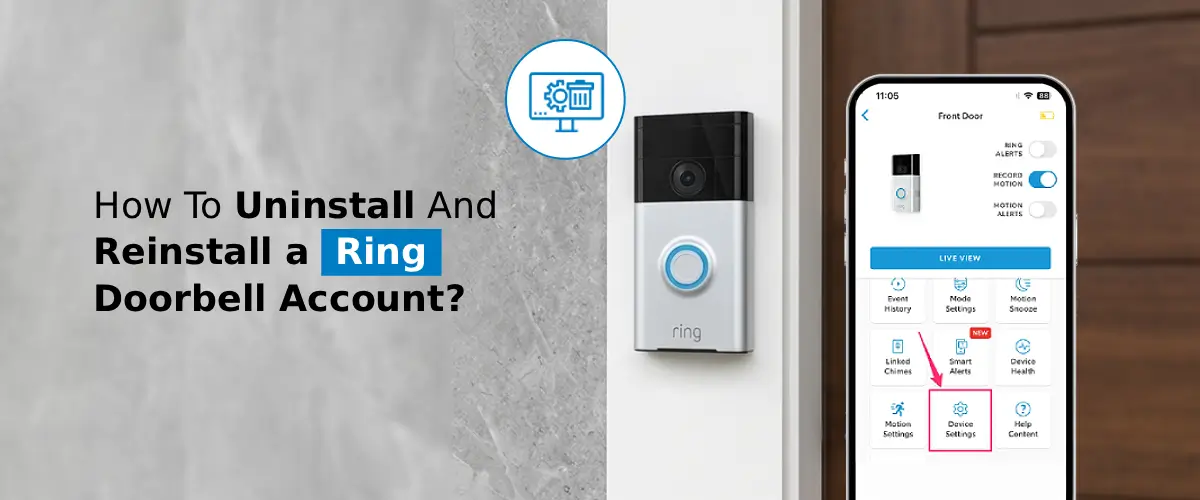
To uninstall and reinstall a Ring Doorbell account, first open the Ring app. Sign in with your Ring Doorbell credentials. If you need to remove the Ring Doorbell from the device list by going into its settings. Next, uninstall the Ring app from your phone. Then reinstall the Ring app from the app store. Finally, sign in again with your Ring Doorbell credentials. Follow the setup steps to reconnect your Ring Doorbell.
If your Ring Doorbell is malfunctioning, not connecting to the application, or simply not showing up on your phone, the best idea is to uninstall and reinstall the Ring app. The process of deleting the app is slightly different from deleting your account on the Ring system or forgetting the device. Once the program is removed from your device, you will need to download and reinstall it from the app store using the same account to reactivate the device. If you are still unable to establish a connection, you will want to look into the doorbell’s wireless capabilities and device settings before resetting it to factory settings.
Why Do You Need to Uninstall and Reinstall a Ring Doorbell App?
Reinstalling the Ring app may be a good solution if force stopping or updating it does not fix the issues. It is always better to try simple solutions first, such as updating the application or restarting it. Reinstalling the Ring app may be necessary if the application becomes unresponsive, and there are login problems when signing in.
On the other hand, you may need to uninstall Ring Doorbell Pro to eliminate frequent application freezes, login errors, connectivity problems, or a failure to display devices. Uninstalling and reinstalling the Ring app allows the doorbell camera to renew its working process without glitches. In addition, the Ring account and registered devices are not deleted when the application is uninstalled.
Note: Make sure that you remember the account details and have access to the email or other verification method associated with your Ring account before proceeding with reinstallation.
How to Uninstall Ring Doorbell App?
The Ring Doorbell application is compatible with Android and iOS devices. Please follow the uninstallation instructions below depending on the device platform.
- On Android
- Go to Settings.
- Choose Apps or Apps and notifications.
- Select the Ring app.
- Tap Uninstall.
- Confirm your selection, and wait until the Ring application is uninstalled.
- Restart your device if your Ring app was crashing or freezing.
- In some cases, you may be able to uninstall Ring Doorbell by long-pressing the app icon.
- On iPhone or iPad
- Find the Ring app on your Home Screen or in the App Library.
- Press and hold the Ring app icon.
- Select Remove App.
- Press the Delete App button and confirm your choice.
- Restart your device if needed.
Note: Uninstalling the Ring mobile application will not delete your account or remove your doorbell from the system.
How to Delete the Ring Doorbell and Reinstall?
Follow the easy-to-follow instructions below to remove and reinstall the Ring Doorbell and reactivate your device.
Uninstalling the Ring App
- Launch the Settings app on your cellular device.
- Now, select Apps or tap and hold the Ring application icon (iPhone).
- Then, choose Uninstall or Delete App.
- Finally, confirm that you want to delete the application.
Reinstall Ring Doorbell Account
- Go to the Google Play Store or the Apple App Store and find the app.
- Press Install or Get to start downloading, and wait until the process is finished on your phone.
Signing in to Your Ring Account
- Next, launch the Ring application on your device.
- Now, enter the correct email address and password in the Ring login section to log in to your account.
- Then, confirm your identity by following the prompts on the screen.
Checking Your Ring Doorbell
- Open your Ring app dashboard.
- Now, choose the Ring doorbell you want to monitor and check the connection.
Reconnecting your Ring Doorbell (If Needed)
- Make sure your phone’s Wi-Fi connection and the Ring device are functioning correctly.
- Then, in your device’s settings, ensure the doorbell is connected. If your Ring doorbell is offline, follow the instructions in the Ring app to reconnect it.
Finally, note that uninstalling and reinstalling the Ring application will not delete your account or cause your purchased Ring doorbell to disappear.
How to Install Ring Doorbell Wired Without an Existing Doorbell?
It is possible to install a compatible wired Ring Doorbell even if the household does not have a doorbell. However, the installation will require the appropriate power source and wiring.
- Verify compatibility: Check the installation instructions for your Ring model to ensure the voltage and transformer are compatible.
- Power down the circuit: Switch off the relevant circuit at the breaker before proceeding with any electrical work.
- Mounting location: Choose a spot with an appropriate view of your entrance and a strong connection to Wi-Fi.
- Mount the bracket: Use the provided template and hardware to mark and mount the bracket.
- Power supply: Set up a transformer or power arrangement if you do not already have the appropriate power supply. Call a qualified electrician to complete this step.
- Mount the doorbell: Follow the manufacturer’s installation instructions.
- Power on and configure: Open the Ring Doorbell setup, fix the doorbell according to the information provided by the app, and test the product.
The user should not connect a Ring Doorbell to a typical household main voltage unless the product’s official instructions stipulate and specify the process. This is because the Ring Doorbells usually require a compatible low-voltage power supply.
How to Install Ring Doorbell with Existing Doorbell?
If your home already has a doorbell that uses wire, you can likely use the existing wiring.
- Make sure your Ring model works with your current doorbell wiring and transformer.
- Turn off the power at the circuit breaker.
- Remove the existing doorbell button and examine the wiring.
- Install any Ring components necessary, including a bypass or jumper, where the model’s instructions specify.
- Connect the existing wires to the appropriate terminal.
- Mount the Ring bracket and attach the doorbell.
- Turn on the power and complete the installation process via the Ring application. Test video feed, motion detection alerts, and the indoor chime if available.
Key point: Not all Ring models are compatible with all standard chimes. Make sure the model you have selected is compatible with your doorbell before connecting it to your house’s wiring, and call an electrician if you are unsure.
How to Install Ring Doorbell Without Power?
A wired Ring Doorbell requires a compatible power supply to function. If there is no wire for the doorbell in your entrance, you have the following three options:
- Battery-powered: Buy a Ring video doorbell that comes with a battery. Charge your battery according to the manufacturer’s guidelines, then mount your device and set it up with the application.
- Compatible plug-in power adapter: Buy a Ring video doorbell that works with a compatible indoor power adapter. Mount the Ring doorbell and connect the power adapter according to the manufacturer’s instructions.
- Professional installation: Ask a professional to install a suitable low-voltage power supply in your entrance.
A Ring doorbell wired cannot work without the necessary power supply; therefore, never try to circumvent its wiring. However, if you have opted for a battery-powered model, make sure to follow the mounting and charging instructions that came with your particular model of the Ring video doorbell.
How to Install Ring Doorbell Wired with Existing Chime?
First of all, make sure your Ring doorbell is compatible with your mechanical or digital chime. Switch off the circuit breaker and check if the voltage of the transformer is sufficient for your doorbell. Then, if necessary, install the jumper or other accessories that come with the doorbell. Connect the doorbell wires following the manufacturer’s instructions. Finally, mount the doorbell on the mounting bracket and turn the electricity back on. Use the Ring application to set up the device. Once everything is ready, press the button on the doorbell and check if your indoor chime sounds. If not, make sure that your doorbell and chime are compatible and that you have installed the doorbell correctly, or contact an electrician.
Common Problems After Reinstalling the Ring App
Uninstalling and reinstalling the application may resolve some software-related issues. However, there are a few more reasons for the described problems, and they should be addressed.
| Problem | Reason | Solution |
| Ring app is crashing | The application or the operating system on the phone is outdated. | Update the Ring application and the operating system, and restart the phone. |
| Unable to log in | Wrong account details or verification process. | Change the password and reset the verification. |
| Doorbell is not found | The account associated with the device is different. | Log in to the account that was previously linked to the device. |
| Doorbell is offline | Unstable internet connection or power supply | Restart the router and check the power source. |
| Notifications are not delivered | Permission or alert settings disabled | Go to the application’s settings and enable Ring notifications. |
| Unable to view the live stream | Poor connection or a temporary error | Restart the router and the application. Check the connection. |
| Indoor chime is not ringing | The device is not compatible with the chosen chime, or wiring is incorrect | Make sure that the chime is compatible with the model and is properly wired. |
Additional Troubleshooting Tips
You can also consider these steps for troubleshooting.
- Update the Ring application to its latest version.
- Restart your phone and router before re-doing the setup.
- Make sure that your smartphone has access to the Internet, or change WiFi on Ring Doorbell.
- Check the device health information for your doorbell in the Ring app.
- See if motion alerts and permissions are enabled.
- Don’t do a factory reset if possible, as you will have to redo some settings.
If none of these solutions work, reach out to the customer support of Ring and ask what they recommend in your particular case.
FAQs:
No, you cannot delete your Ring account by simply uninstalling your phone application. Even if you delete the Ring app, your account will still be there. To delete your account, you have to purposely and intentionally remove your account from the system.
To log in to your Ring account, you have to first download and install the Ring app on your phone. Then, simply open the app and type in your email address and password. You may have to verify your account or reinstall the Ring doorbell if you forgot your details.
Not necessarily. If you simply uninstalled the application, you do not need to reset the device. To clarify, when you reinstall the app, you must log in to your account and see if your Ring doorbell appears on the dashboard. If the problem persists, you can try resetting it after you go through the troubleshooting steps provided by the Ring manufacturer.
It is possible that you may have logged in to someone else account or the application is not synchronizing. Double-check your email and password. Furthermore, make sure you have a stable internet connection and try refreshing the page. If your Ring doorbell still does not appear, you may have to re-add it to your account.
No, deleting the application does not delete your Ring videos. It will only delete the application from your phone. Your videos and account data are safe as long as you have an active subscription. However, note that the Ring account subscription plan and settings have a great say in whether your videos will be deleted or not. Thus, if you are worried about some valuable recordings, it is a good idea to back them up.
To remove a Ring Doorbell from your account, open the Ring app and select the device. Go to Device Settings and choose General Settings → Remove Device.
The Ring app may keep crashing due to outdated software or corrupted cache. Update the app and your device OS then restart your phone and log in again.
Simply removing your Ring doorbell from your account does not cancel your subscription, so it is essential to check your subscription settings after removing the device. However, unsubscribing from Ring or canceling your Ring plan should cancel your subscription.
Final Thoughts
Learning how to uninstall and reinstall a Ring Doorbell account is essential if you are experiencing issues while trying to log in or sync your device. Remember that deactivating the Ring application is not the same as removing a Ring doorbell from your account, as well as erasing your account. Make sure there are no technical problems before attempting to delete the Ring doorbell from your account by checking your phone’s battery level, Wi-Fi connection, and account details. If you have a Ring doorbell that requires hardwiring, make sure to review the instructions provided by your service plan and consult an electrician if necessary.