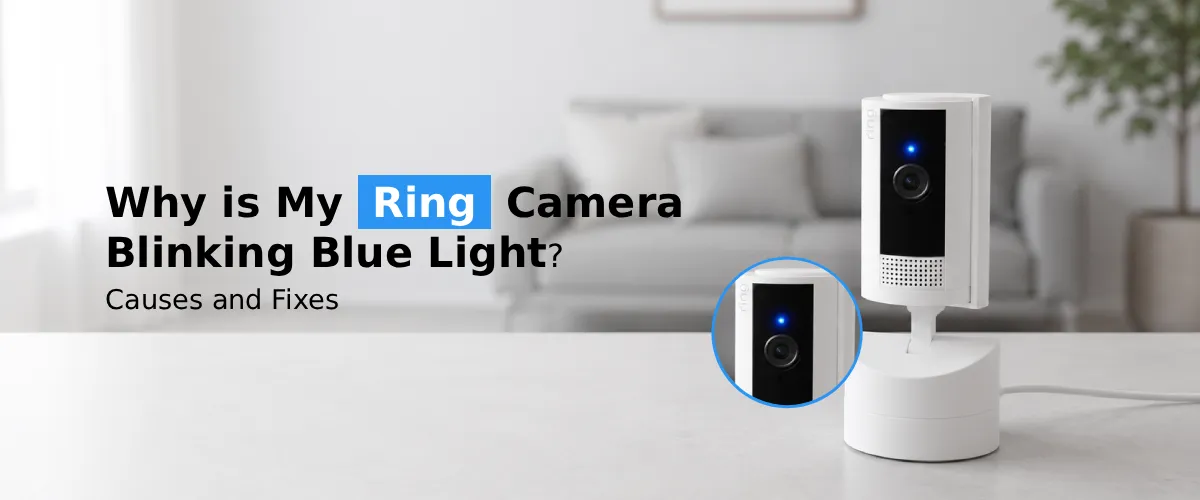
A Ring camera blinking blue light usually indicates it is starting up, connecting to Wi-Fi, updating firmware, or entering setup mode. If the blue light keeps flashing continuously, check your internet connection, restart the camera, update the Ring app, and reconnect the device to restore normal operation.
When your ring camera is blinking blue and you are unaware of what it means, do not get worried as many Ring users have the same question on their minds. And the great thing is that Ring camera blinking blue does not necessarily mean something bad. In most cases, it just indicates that your camera is turning on, updating, or trying to connect to Wi-Fi. However, it is worth mentioning that depending on how the blue light flashes, you may understand the reason behind it.
In this guide, we will explore all the reasons for your ring camera flashing blue light and why this happens.
What Does Blinking Blue Light on Ring Camera Mean?
Blue light on the camera from the Ring system is the indication system of your Ring Camera that does not require opening of the application to know about its status. The Ring cameras utilize the blue color LEDs for indicating that the camera is on, the command is being processed by the camera, the camera is establishing connection or getting charged.
Context plays an important role here. A ring doorbell camera blinking blue while charging is acceptable, but a continuously blinking blue light even when no app interaction has occurred can be indicative of some problem with either connectivity or firmware.
Common Causes of a Ring Camera Blinking Blue
1. The Camera Is Powering On or Restarting
The blinking of your Ring camera in blue once you have plugged it in is totally expected since this occurs at the time the device powers on and creates a connection, which takes only less than one minute.
2. Wi-Fi Connection in Progress
Another trigger that happens very often is related to your network settings. In case your device is attempting to connect back to your home network, the light will continue blinking blue constantly until it succeeds. This typically occurs immediately after you have restarted your router or changed the Wi-Fi password.
3. Firmware Update Is Running
Automatic updates for Ring’s firmware are always provided for performance and security reasons. In the event of a firmware update of a Ring device, you will notice that the blue light flashes in a rhythmic fashion. It is advised not to unplug the device in the middle of this process, as it may take 20 minutes or less.
4. Someone Is Using Live View or Two-Way Talk
When a relative, or you yourself, logs onto the Ring app and opens up Live View, or uses the two-way talk function, the camera is likely going to start blinking in a blue light.
5. Ring Doorbell Camera Blinking Blue While Charging
In case your Ring device uses batteries, it is perfectly fine for the Ring camera to blink blue during the charging process. It means that the battery is currently being charged, and after the process is completed, the light will either turn off or change its pattern.
6. Ring Camera Blinking Blue 3 times
An interesting pattern that can be observed is when the blinking blue three times on your Ring camera occurs in a loop. This pattern usually means that the Ring is trying to connect to the WiFi, or it is in the middle of its installation. If the pattern continues in a repetitive manner, there is a possibility that it failed.
How to Fix a Ring Camera That Won’t Stop Blinking Blue?
Step 1: Check Your Wi-Fi Signal Strength
An unreliable Wi-Fi connection is always the primary reason for such blinking. Try relocating the router to an area near the camera if possible, or use a Wi-Fi extender in case the camera is located further away from the router, like a front gate or back garden shack.
Step 2: Restart Your Router and Camera
Usually power-cycling both devices will solve temporary connectivity issues. Disconnect the router for 30 seconds, plug it back in again, and give time for it to completely connect. After that, reboot your Ring device.
Step 3: Re-Run Ring Setup Wifi
However, should the blinking continue without a connection, then there might be a need for you to start the Ring setup from the beginning again. This involves opening up the Ring application and going to your device settings where you select “Change Wi-Fi Network.” Remember that most Ring devices do not support 5GHz networks only.
Step 4: Move Closer to the Router During Setup
When you have a new device to set up, being close to your router for some time may help create a better connection before placing the camera in its final destination.
Step 5: Reset the Ring Device
If all else fails, performing a total reset of the Ring Camera can help fix the problem effectively. You will have to find the tiny setup button on your Ring Camera (located either at the back or bottom) and press it for approximately 15–20 seconds before the light pattern changes. This will reset the camera to its factory settings, requiring you to set it up again in the app.
Step 6: Check for Pending Ring Firmware Updates
At times, incomplete Ring firmware update can make your ring light blink endlessly. In the Ring app, go to Device Health and verify whether there is an update pending or incomplete. It is important that you keep your device connected to stable power and Wi-Fi during updates.
When to Contact Ring Support
If you have tried performing a reset on the device, reconnection with Wi-Fi, firmware update but no changes occurred in status and it keeps on blinking blue light, it might be the case that there’s a hardware malfunction. It would be better if you contact Ring’s support at this moment.
FAQs:
Yes. One of the most common causes for ring camera flashing blue light is when the Wi-Fi signal being used by the camera is weak or unstable. In such cases, the camera frequently tries to reconnect and this causes the blue light to blink continuously.
Indeed, this is very normal. When the power is restored after an outage, your Ring camera will go through the process of being reset and reconnected again. This is similar to the first time you set up your camera.
That’s not always the case. The blinking blue light signifies any kind of activity, including setting up, updating, or establishing network connections, but not recording.
A reset may be needed when the camera has frequent connectivity problems, continues to flash blue after troubleshooting, does not update its firmware, or does not respond to commands through the application.
The Final Word
A Ring camera blinking blue is usually nothing to worry about. In most cases, this is because the blinking usually signifies something normal, such as set up, charging, updating, or reconnecting to Wi-Fi. But if this keeps on occurring despite following the above-mentioned troubleshooting tips, it can easily fix the problem.